STACKWORKS APPS / Health & fitness
ジムノート
Log your set in five seconds, right between sets.
Gym Note is a workout log and rest timer built for the gym floor. For iPhone (iOS 26 or later).
See the store for current pricing and requirements.
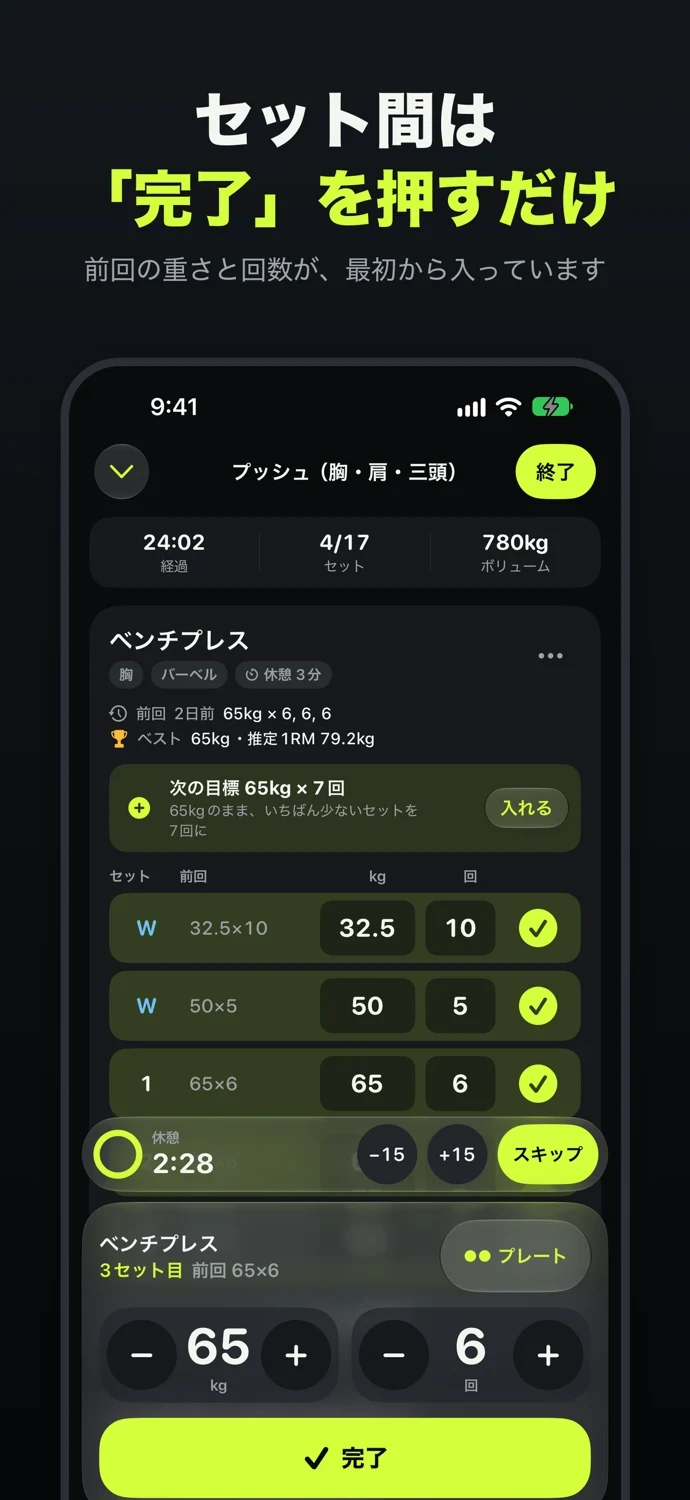
01One-tap logging
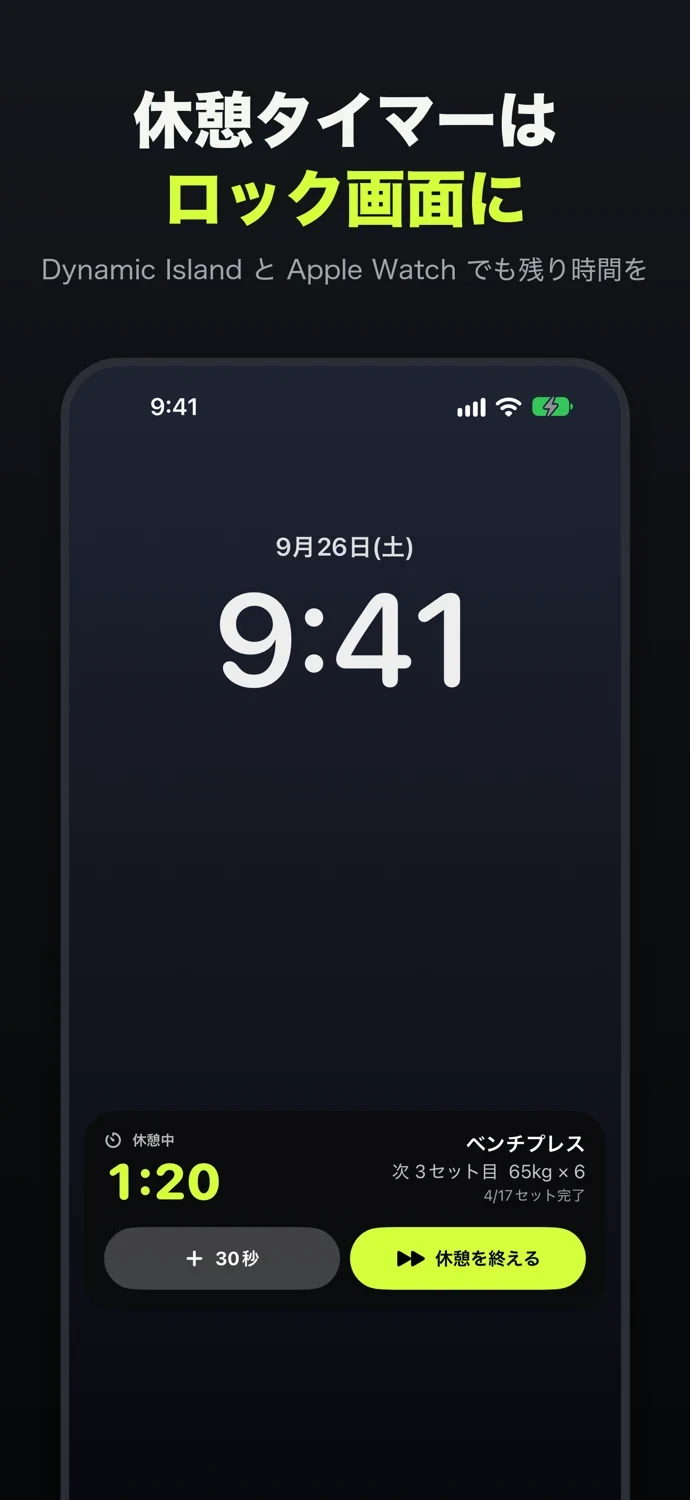
02Rest timer on your Lock Screen
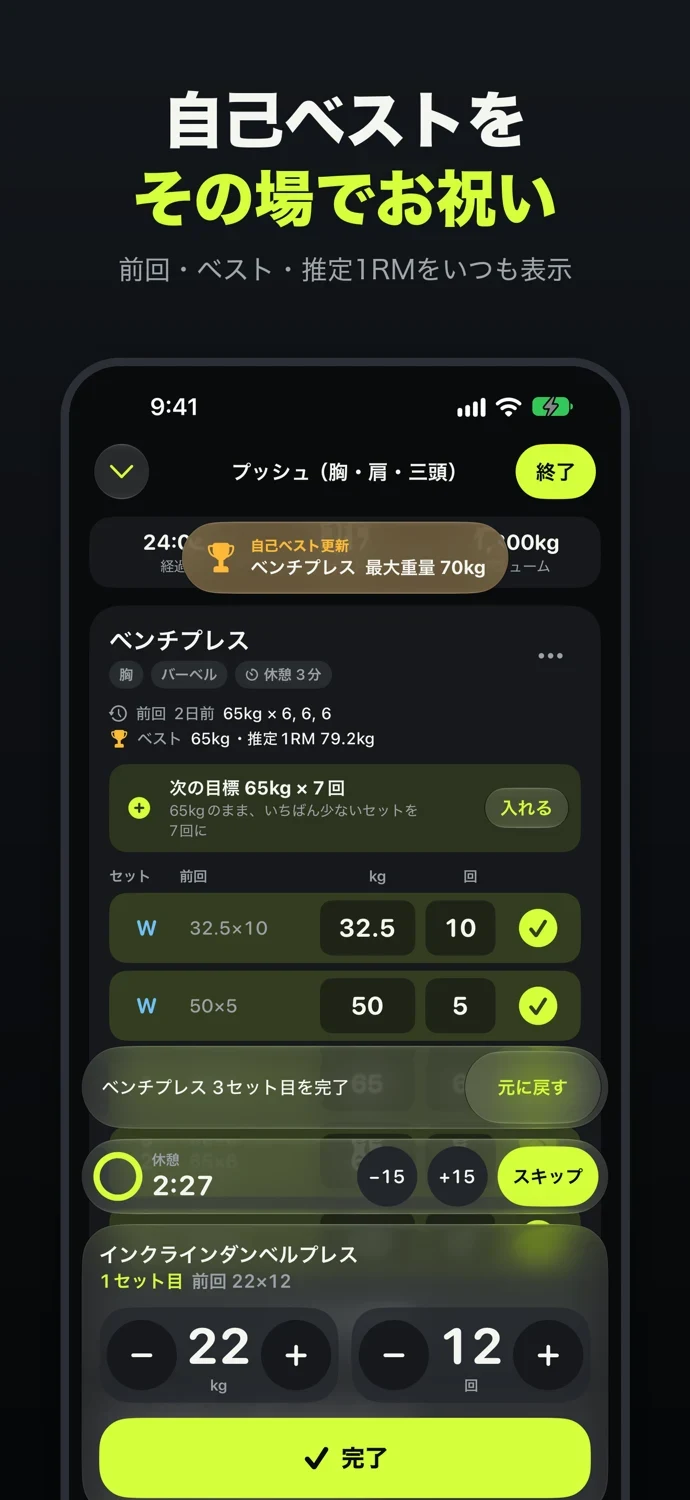
03Last time, PRs & estimated 1RM
APP SCREENS
A closer look at the app.
Tap an image to view it full size.
Features
One-tap logging
Your weight and reps from the same set last time are already filled in. If nothing changed, just tap Done. Need to adjust? Big − and + buttons sit right under your thumb.
Rest timer on your Lock Screen
Starts automatically when you finish a set. The time left shows on the Lock Screen and in the Dynamic Island, where you can add time, end your rest, or complete your next set. Your music keeps playing.
Last time, PRs & estimated 1RM
Every exercise always shows what you did last time and your personal records. Hit a new PR and Gym Note celebrates on the spot.
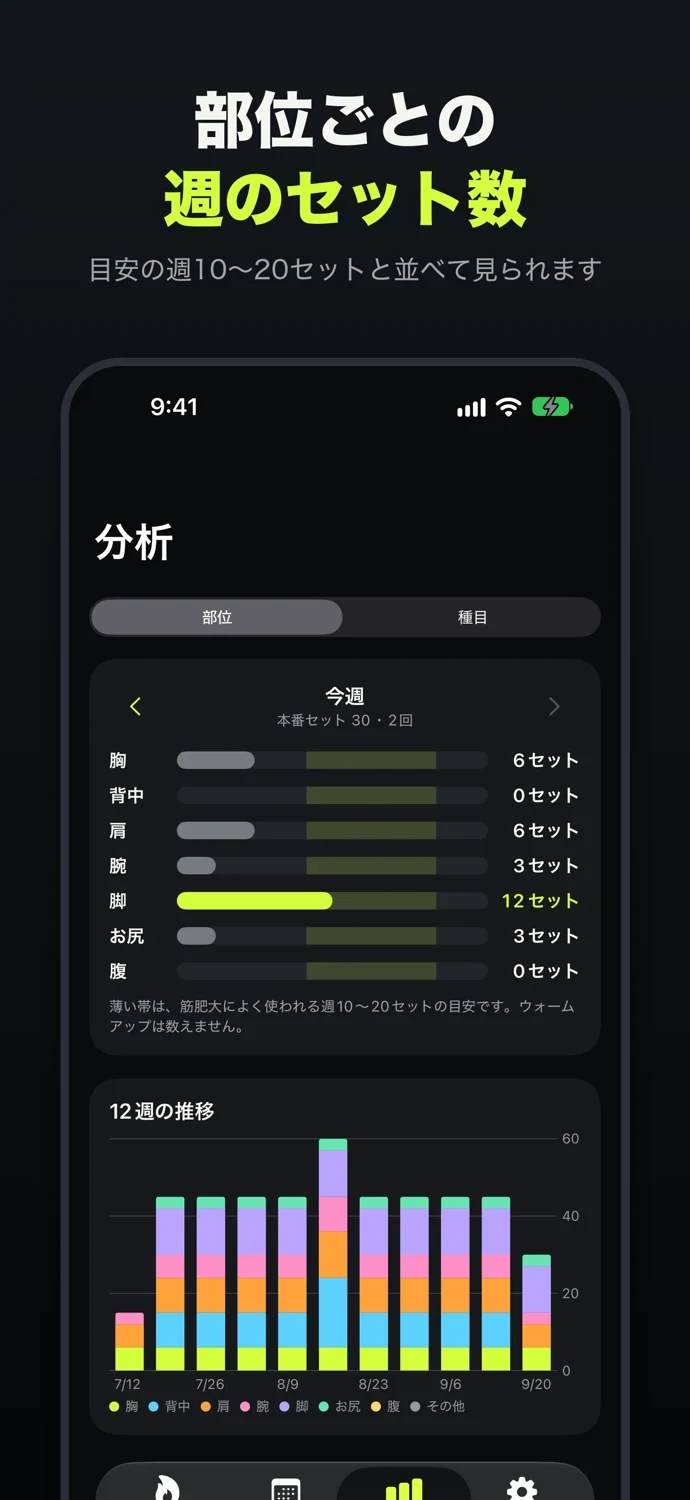
Weekly sets per muscle group
See how many sets you've done this week for Chest, Back, Shoulders, Arms, Legs, Glutes and Core, right next to the common guideline of 10–20 sets per week.
Plate Calculator & Routines
Enter a target weight and see which plates go on each side in a color-coded diagram. In lb, it starts with a 45 lb bar and 45, 35, 25, 10, 5 and 2.5 lb plates. Start your usual workouts from Routines in one tap.
Your data stays on your iPhone
No account, no ads, and it works offline. Export and import CSV files, including CSV files exported from Strong and Hevy.
Pricing
| Download | Free. Logging, exercises, history, the rest timer, personal records, the Plate Calculator, CSV and saving to Apple Health all work without limits. No ads. |
|---|---|
| Gym Note Plus | Next Target (suggested weight), all-time charts, 12 weeks of volume by muscle group, unlimited routines, widgets and accent colors. |
Plus is a one-time In-App Purchase (non-consumable). The price is shown in the App Store. Family Sharing is supported.
Requirements
iPhone (iOS 26 or later). The Live Activity also appears in the Smart Stack on Apple Watch.
Weights can be shown in kg or lb. The default matches your region, so it's lb in the US, and you can switch anytime in Settings. Your records are always saved in kg, so switching only changes the unit you see and enter.
SUPPORT & CONTACT
ジムノート · support
Questions, bug reports and suggestions are welcome.